Use NREMT Tutoring with your class
Your students get the full EMT, AEMT and Paramedic question bank. You get a class list, homework with due dates, and grades your gradebook can import. Tell us about your class and we will set you up.
Tell us about your classNew: homework from a topic
Type a topic and get a quiz or exam on it, ready to assign.
- 1
Type what you want to test
A condition, a skill or an assessment, in your own words. Pick the level and how many questions.
- 2
We start with our bank
Questions already in our bank that fit your topic go in first. We only write the ones the bank does not cover, from our own explanations, and check each one before you see it.
- 3
You keep what you want
You get a few more than you asked for. Remove any that miss what you meant, fix the wording, then assign it to your class.
What you get
These are the instructor pages as they look today, filled with sample students.
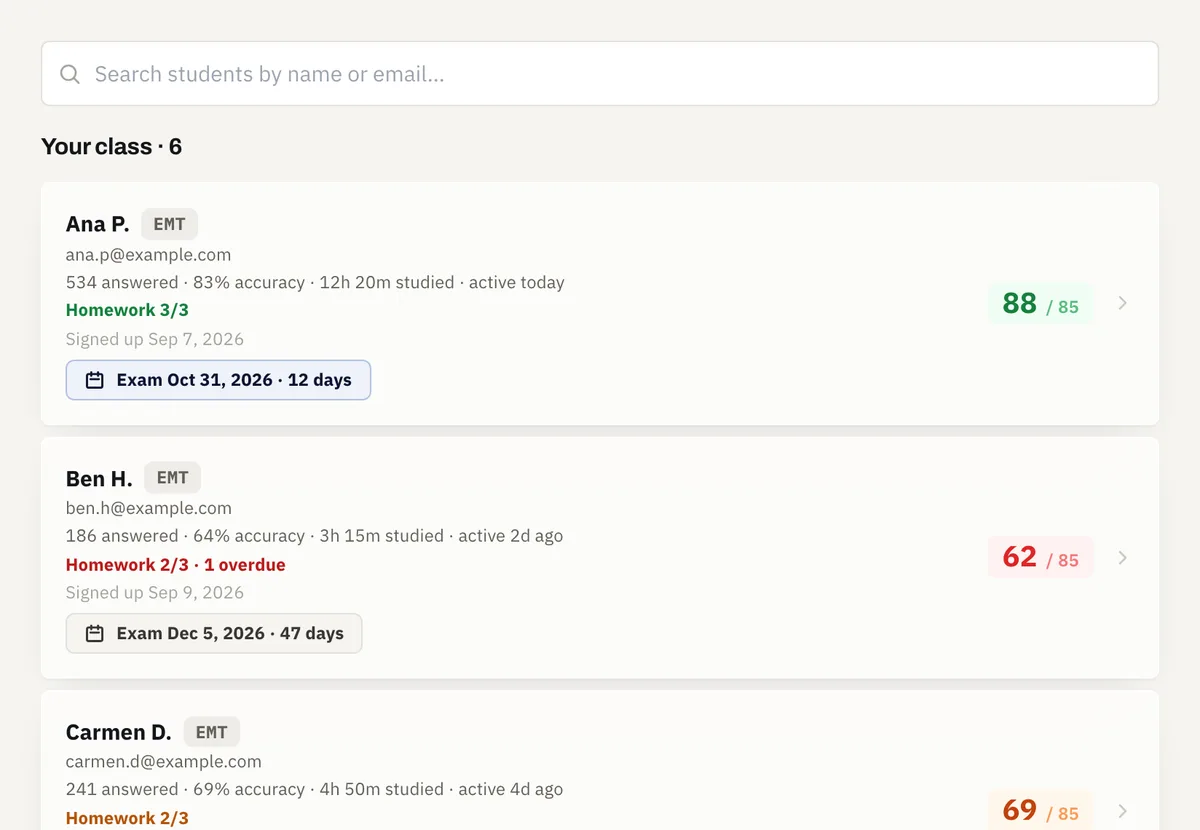
My Students
Your whole class in one list: readiness, accuracy, study time, last activity and homework for each student, with overdue work flagged in red and each exam date counting down. Open a student to see what they keep missing.
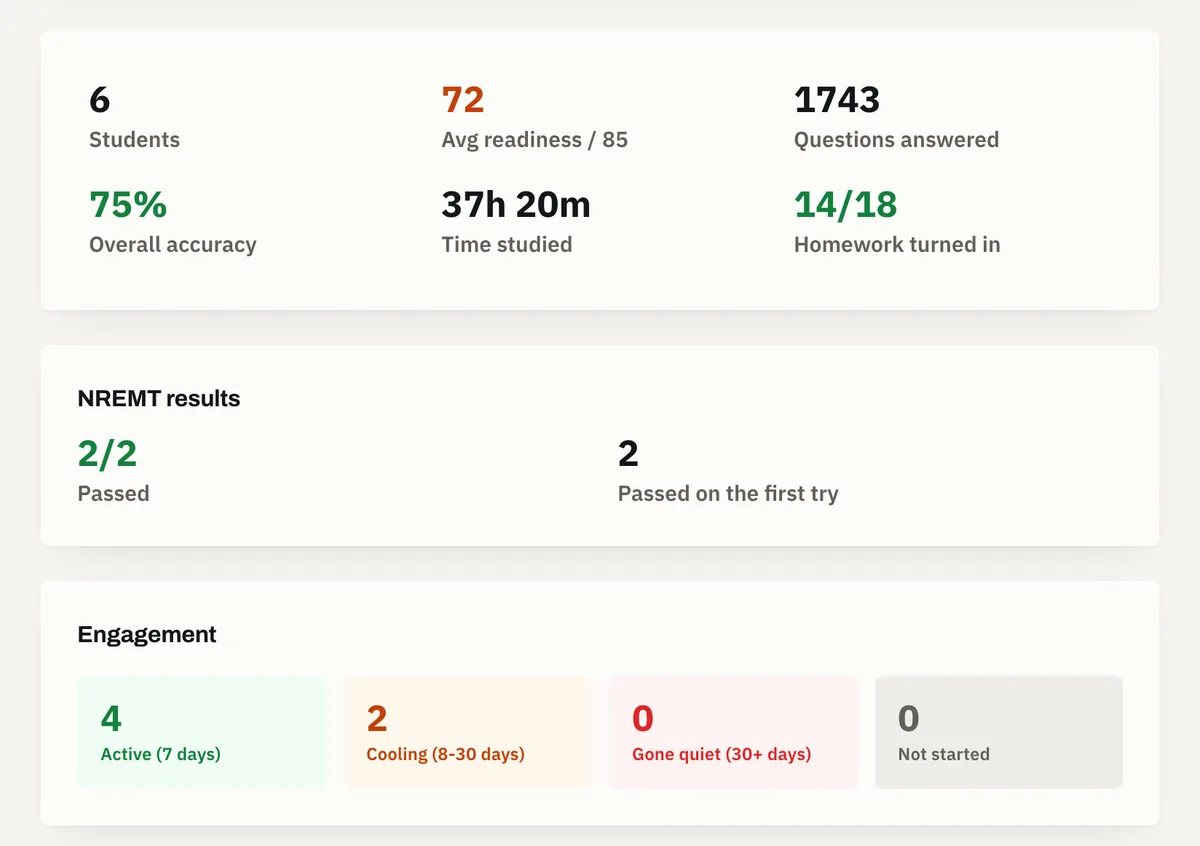
Your class at a glance
The top of My Students adds up the whole class: average readiness, accuracy, homework turned in, who has gone quiet, and how many reported passing the NREMT on the first try.
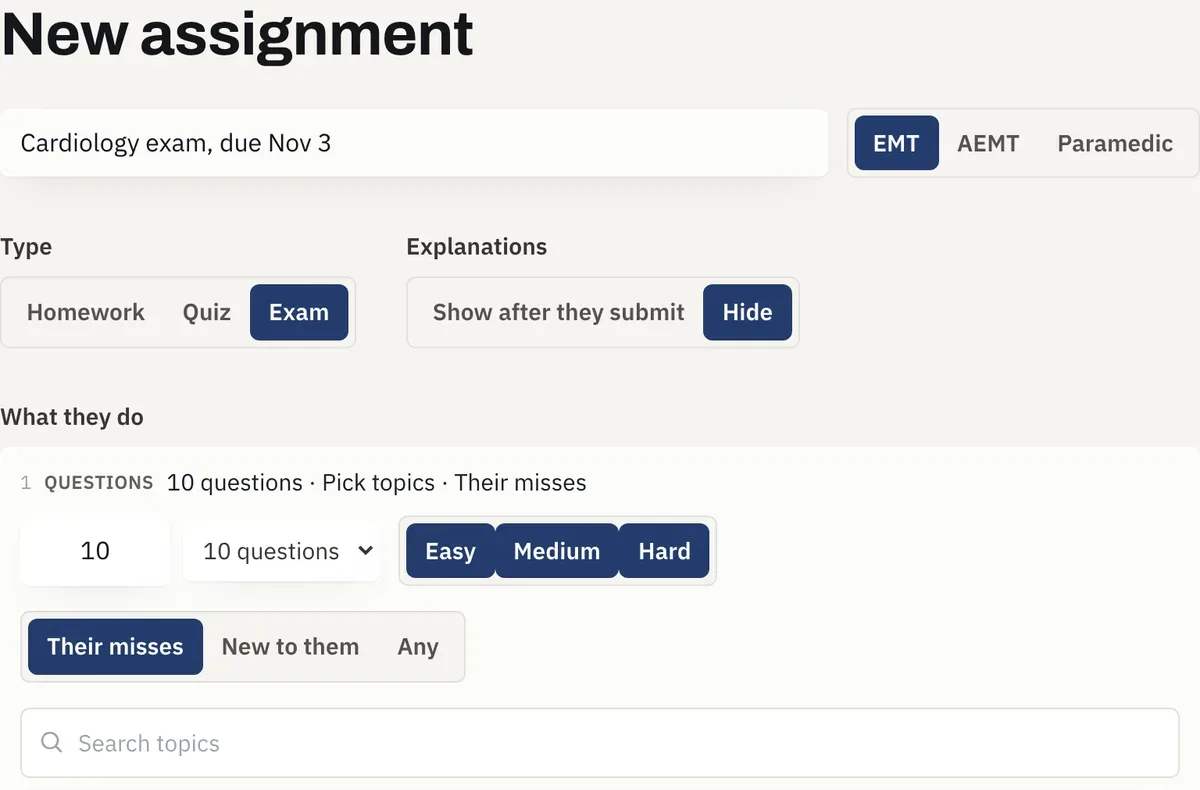
The whole question bank, for your class
Using this for your class gives your students the full EMT, AEMT and Paramedic question bank, and a new, shorter builder for it. Pick quiz, exam or homework, the topics, the difficulty and how many questions, and whether each student gets the ones they missed or ones new to them. Choose whether they see the explanations after they submit, or only the right answers. Exams start with explanations hidden.
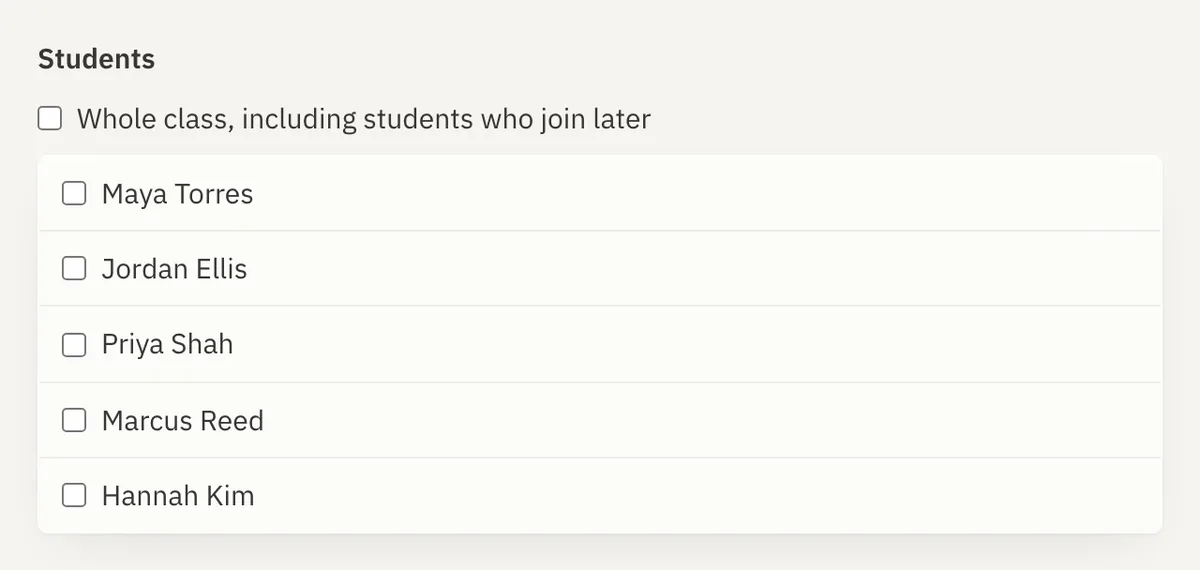
Assign to the whole class
When you assign homework, a quiz or an exam, tick Whole class and everyone on your roster gets it, including students who join your class later while it is still open.
Results and grades
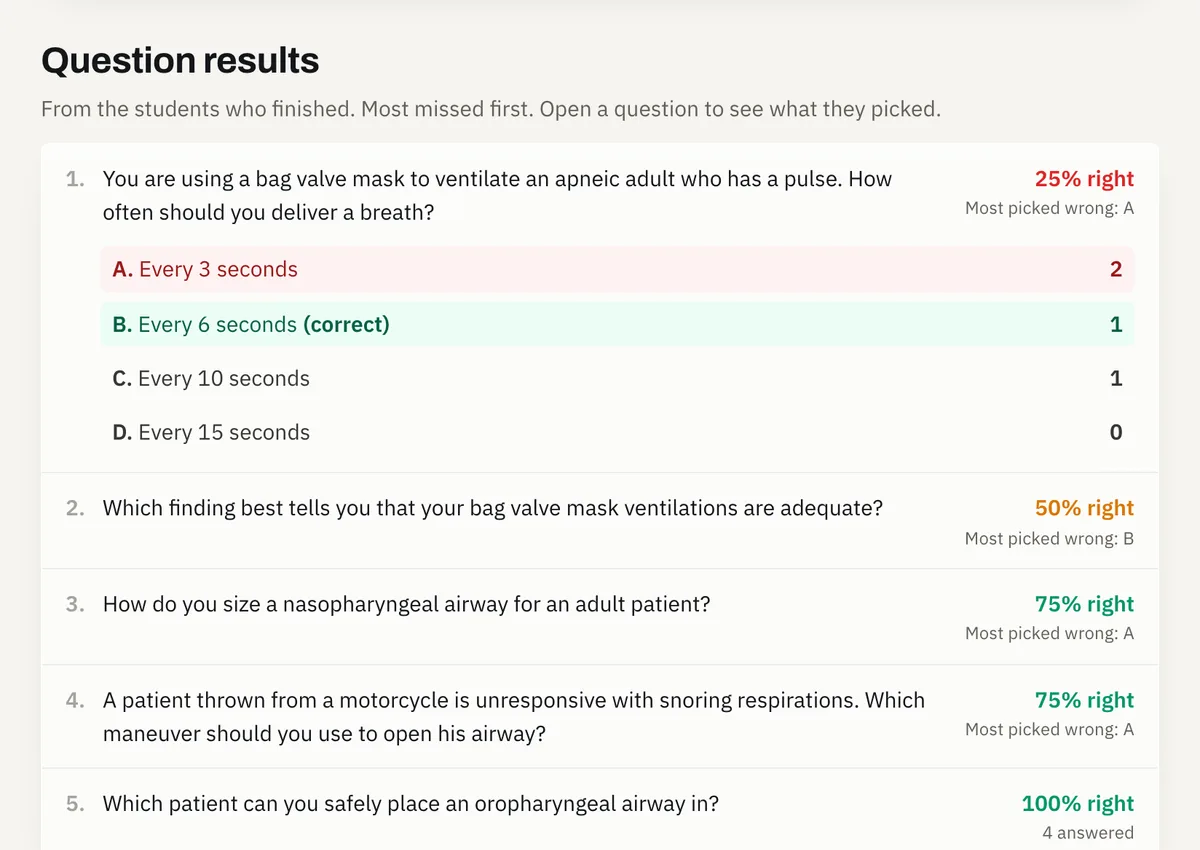
Open an assignment to see every question with how many students got it right and which wrong answer they picked, most missed first. Download grades gives you a file your Canvas, Blackboard, D2L or Moodle gradebook can import, or a plain spreadsheet. Add each student's school username once, under the assignment list, so the file can match them.
Questions from your lectures
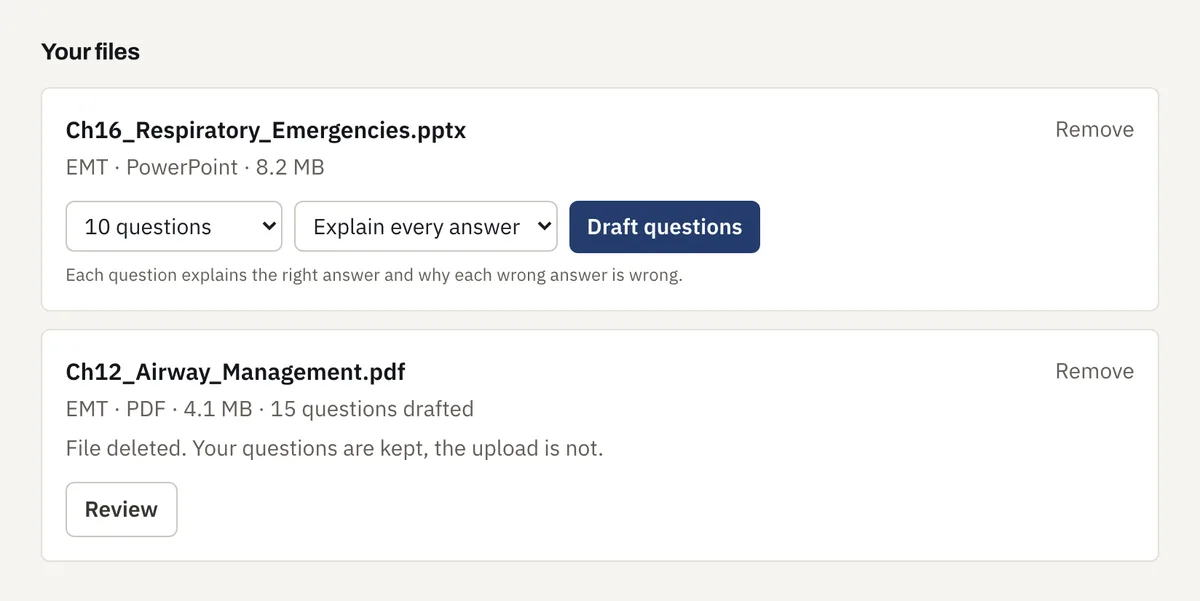
Upload a lecture file, like a PowerPoint or a PDF, and draft questions from it. Pick Explain every answer to get why the right answer is right and why each wrong answer is wrong, or Questions only. You review each one and keep the ones you want. Your questions are kept, the uploaded file is not.
Question sets
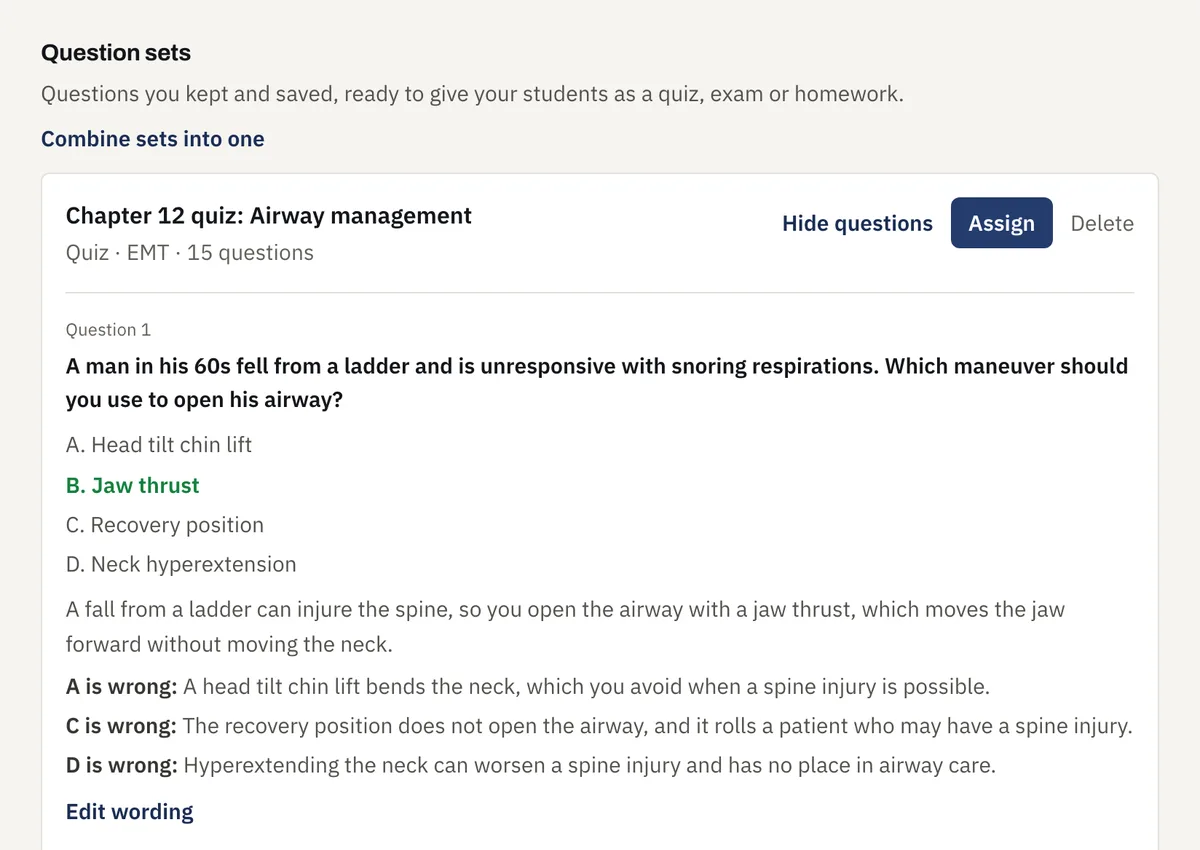
The questions you keep are saved as sets, ready to give your students as a quiz, exam or homework. Fix a question’s wording, or combine several sets into one.
Class seats and join code
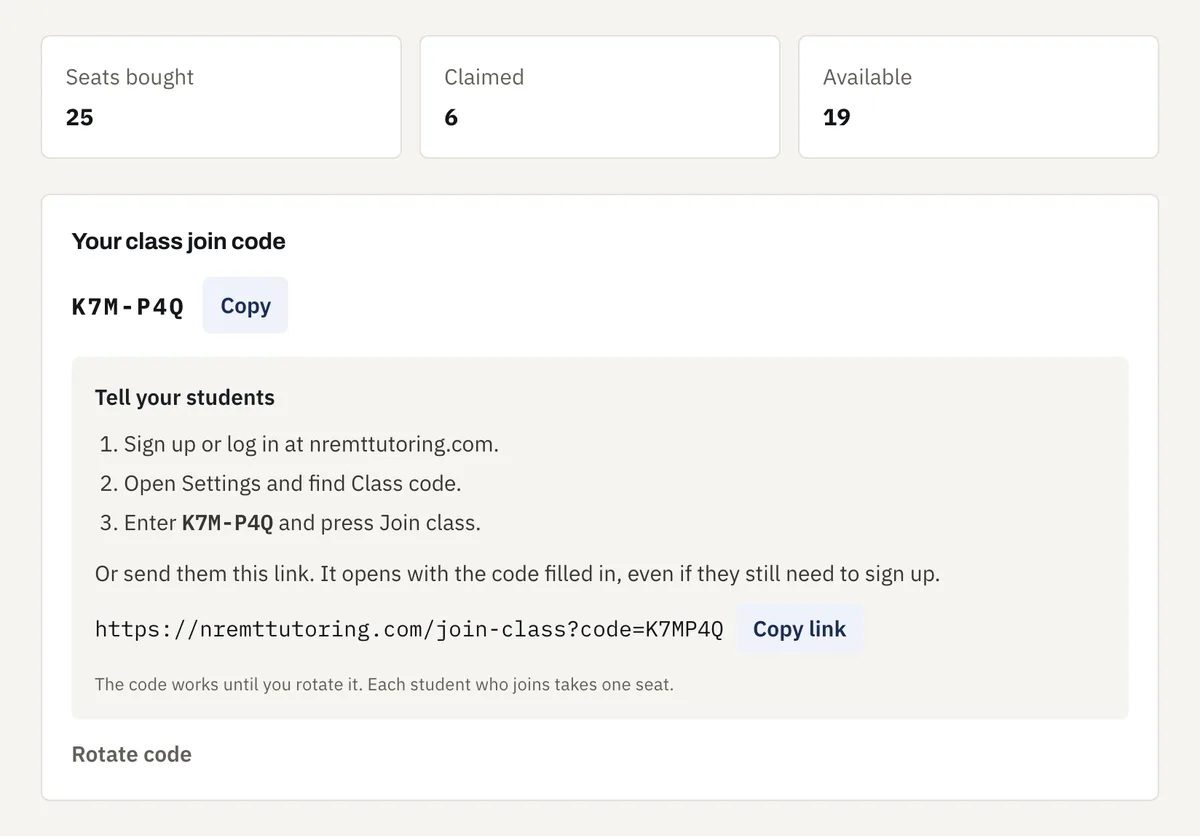
Students join your class with your code, or with a link that fills it in for them. Each student who joins takes one seat, and you can rotate the code any time.
Resources
The learning graphics, helpful articles and the heart blood flow and conduction diagram your students study from, ready to pull up in class.
Tell us about your class
We will reply by email to set up your class.